If you’re a small business owner planning a new website or wondering why your existing website isn’t bringing in customers, you may be asking yourself, “What should my website include?”
After years of building websites for businesses, one thing I’ve learned is that a website needs to do much more than look good. It needs to show potential customers that you understand their needs, have the expertise to help them, and offer the right services to solve their problems.
At Zinnia Marketing, I believe a successful website starts with a solid foundation, clear messaging, and useful content that demonstrates your expertise. Here are the essential elements every small business website should include, along with some advice on how to make your website work harder for your business.
1. A Clear Homepage That Explains What You Do
Your homepage is often the first impression someone has of your business. Within a few seconds, visitors should be able to understand what you do, who you help, and why they should consider working with you.
One mistake I see business owners make is assuming potential customers already understand their services. They know their industry inside and out, so it can be difficult to realize that someone unfamiliar with their business may not understand exactly what they offer or how it can help.
Remember, customers are often focused on the outcome they want, not the service that will get them there.
For example, a business owner may understand all the technical details of their service, but a potential customer simply wants to solve a problem. Your website needs to connect those two things.
Your homepage should include:
- A clear introduction: Explain what your business does and who you serve.
- An outline of your services: Give visitors a quick overview of how you can help.
- The benefits of working with you: Explain what customers can expect and how your services address their needs.
- Reasons to trust your business: Highlight your experience, expertise, or approach.
- A clear call to action: Tell visitors what to do next, whether that means requesting a quote, booking a consultation, or contacting you.
You don’t need to explain every detail on your homepage. Its job is to help visitors understand that they’re in the right place and guide them toward the information they need.
2. An About Us Page That Builds Trust
Your About Us page is an opportunity to demonstrate why you are the right business to work with.
Many business owners treat this page as a place to tell their personal story. While your story is important, potential customers are also looking for reassurance that you understand their needs and have the experience to deliver.
Use this page to explain what makes your business qualified to provide its services.
Consider including:
- Your professional background and relevant experience.
- Your company’s history and how it developed.
- Qualifications, certifications, or specialized training, where applicable.
- Your approach to working with customers.
- What differentiates your business from competitors.
- An understanding of the challenges your customers face.
Think about what a potential customer needs to know before deciding to work with you. Your About Us page should answer those questions and help build confidence in your business.
You don’t have to make exaggerated claims or call yourself the best. Instead, demonstrate your expertise through your experience, knowledge, approach, and the value you provide.
3. Clear Services Pages That Explain the Benefits
Your website should clearly outline the services you provide. Depending on your business, you may be able to cover everything on one well-organized Services page, or you may benefit from having a separate page for each major service.
The important thing is to give potential customers enough information to understand what you offer and how it can help them.
For each service, explain:
- What the service includes: Describe what you actually do in language your customers understand.
- Who the service is for: Help visitors recognize whether the service meets their needs.
- The problem it solves: Explain the challenge or frustration your customers may be experiencing.
- The benefits: Describe the results or improvements customers can expect, without making promises you cannot guarantee.
- Why you’re qualified to provide it: Demonstrate your experience and knowledge.
- What happens next: Make it easy for visitors to ask questions, request a quote, or get started.
Don’t assume visitors know what your services involve. Even if something seems obvious to you, it may not be obvious to someone who has never purchased that service before.
Your website should help potential customers understand not only what you do, but why it matters to them.
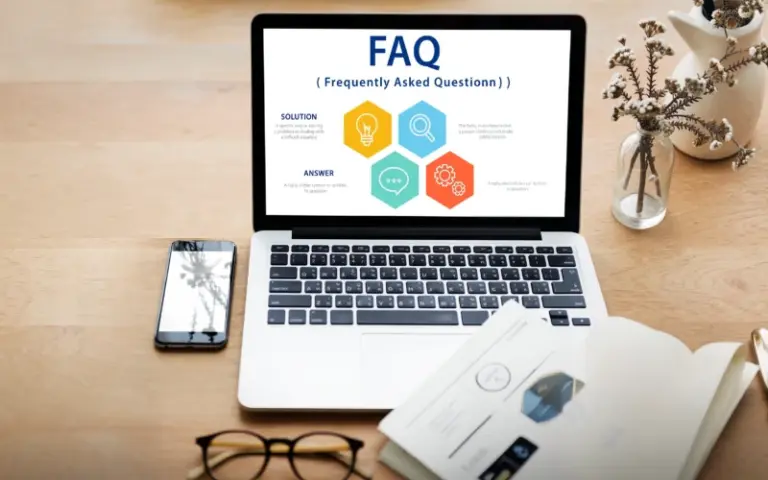
4. An FAQ Section That Answers Customer Questions
An FAQ section is a practical way to address common questions before a potential customer contacts you.
Think about the questions you hear most often from customers. What do they want to know before making a decision? What concerns or misconceptions do they have? What information do they need to feel comfortable moving forward?
Your FAQs might cover:
- What is included in your services?
- Who do you work with?
- How does your process work?
- How long does a project typically take?
- What factors affect pricing?
- What areas do you serve?
- What should customers expect when they get started?
Answer each question clearly and directly. If a question requires a more detailed explanation, consider creating a dedicated service page or blog article and linking to it.
FAQs are useful for visitors, but they can also help search engines and AI tools understand your business and the questions your content addresses. They aren’t a guarantee of higher rankings or AI recommendations, but they are a valuable part of a website that communicates clearly.
5. Clear Contact Information and Calls to Action
Once someone has decided your business might be a good fit, make it easy for them to take the next step.
I’ve seen websites that provide useful information but make it surprisingly difficult to contact the business. Don’t make potential customers work to figure out how to reach you.
Your website should include:
- A clear Contact page.
- Your business phone number and email address, as appropriate.
- A simple contact form that asks for the information you actually need.
- Clear calls to action throughout the website.
- Links to relevant social media profiles, where appropriate.
Use straightforward wording for your calls to action. Examples include “Request a Quote,” “Book a Consultation,” “Contact Us,” or “Learn More About Our Services.”
Make sure your contact information is easy to find, and test your forms regularly to ensure messages are being delivered.
The goal is simple: when someone is ready to take the next step, don’t give them a reason to leave.
6. A Mobile-Friendly, Fully Responsive Design
A website needs to work properly on mobile devices, not just on a desktop computer.
I’ve built websites that looked attractive on a large screen but were difficult or impossible to use on a phone. That’s a significant problem when potential customers are browsing on mobile devices and want to find information quickly.
A fully responsive website automatically adapts its layout to different screen sizes. But responsive design involves more than making everything fit on a smaller screen.
Check that:
- Text is readable without zooming in.
- Navigation menus are easy to use.
- Buttons and links are easy to tap.
- Contact forms work properly on mobile.
- Images resize appropriately.
- Important information is easy to find.
- Pages load quickly and function smoothly.
Test your website on an actual phone, not just by resizing a desktop browser window.
A beautiful website isn’t effective if visitors can’t use it. Mobile usability should be part of the foundation of your website from the beginning, not an afterthought.
7. Content That Demonstrates Your Expertise
If there’s one thing I want small business owners to understand about building an effective website, it’s this: Content, content, content.
Too many business owners believe they can launch a website, forget about it, and expect Google to send them customers or AI tools to recommend their business.
Unfortunately, it doesn’t work that way.
Your website needs enough useful, relevant content to help potential customers understand your services and demonstrate that you know your field. Search engines and AI tools need clear information to understand what your business does, who it serves, and what makes it a relevant source for a particular question.
Your core pages are the starting point. From there, publishing helpful articles and blog posts is an excellent way to build on that foundation over time.
What Should You Write About?
Start with the questions your customers ask and the problems your services solve.
For example, you could write about:
- Common problems your customers experience and how to address them.
- Signs that someone may need your service.
- How your service works and what customers should expect.
- Common mistakes people make when trying to solve a problem themselves.
- Questions to ask before hiring a professional in your industry.
- The differences between various service options.
- Practical tips that help customers make informed decisions.
Your goal isn’t simply to publish articles to keep your website looking active. It’s to provide genuinely useful information that demonstrates your knowledge and helps readers.
Consistent blogging can expand the range of topics your website covers, answer questions your core pages don’t have room to address, and create more opportunities for people to discover your business.
How Content Supports SEO and AI Visibility
Useful content is an important part of search engine optimization (SEO). When your website clearly explains your services, incorporates relevant search terms naturally, answers customer questions, and includes accurate information about the areas you serve, it gives search engines more context about your business.
The same principle applies to visibility in AI-powered search and recommendation tools. Clear, detailed, helpful content can make it easier for these systems to understand your expertise and determine when your business may be relevant to a user’s question.
However, there are no guarantees that publishing a certain number of articles will get you to the top of Google or make an AI tool recommend your business. Results depend on many factors, including competition, website quality, relevance, and your overall online presence.
SEO is not an overnight process. You’re building credibility and visibility over time, and that requires ongoing effort.
8. A Website Platform That Can Grow With Your Business
When investing in a website, think beyond what you need today. Choose a platform that can grow as your business develops.
I recommend WordPress for many small businesses because it offers flexibility and allows you to expand your website as your needs change. You can start with the essential pages and add new services, blog articles, functionality, and other features over time.
You don’t necessarily need a large, complicated website when you’re starting out. In fact, I believe it’s better to build a strong foundation first than to spend money on features you don’t yet need.
Start with a professional homepage, a clear Services page, an About Us page, an FAQ section, and straightforward contact options. Then expand your website as you learn more about your customers and identify opportunities to grow.
Your website should support your business, not force you to rebuild everything every time your needs change.
9. An Ongoing Website Maintenance and Content Plan
One of the biggest mistakes I see business owners make is launching a website and then forgetting about it. Months or even years later, they wonder why it isn’t attracting customers.
A website isn’t a one-time project that you can ignore after launch. It needs regular attention to remain useful, accurate, secure, and effective.
I recommend setting aside time at least once a month to review your website.
Your Monthly Website Checklist
Use this checklist to keep your website in good shape:
- Check that your website is running smoothly and that important pages load properly.
- Test your contact forms to make sure submissions are being delivered.
- Look for broken links and outdated information.
- Review your website on a mobile device to ensure it’s still easy to navigate.
- Check that your services, contact details, business hours, and other key information are accurate.
- Keep your WordPress installation, themes, and plugins updated, with appropriate backups and security precautions.
- Review your website analytics and search performance, where available, to see how visitors are finding and using your website.
- Publish a new article or blog post that answers a customer question or explains a problem your services solve.
You don’t have to make major changes every month. Small, consistent improvements can add up over time.
If you don’t have the time or technical knowledge to maintain your website yourself, consider arranging ongoing website maintenance and support.
10. Start With the Essentials and Build From There
It’s easy to become overwhelmed when planning a new website. There are countless features, integrations, design options, and marketing tools to consider.
But you don’t need everything at once.
Focus on the elements that help potential customers understand your business, trust your expertise, and take the next step.
Your essential website checklist should include:
- A clear homepage that explains what you do and who you help.
- An About Us page that demonstrates your experience and expertise.
- A Services page or individual service pages that explain what you offer and the benefits.
- An FAQ section that answers common customer questions.
- Clear contact information, a functional contact form, and calls to action.
- A fully responsive, mobile-friendly design.
- Useful, relevant content that demonstrates your knowledge.
- A platform that can grow with your business.
- A plan for ongoing maintenance and regular content updates.
Once these essentials are in place, you can consider additional features such as testimonials, case studies, an online booking system, ecommerce, email marketing integration, or other functionality that makes sense for your business.
The right features depend on your goals, your customers, and how your business operates. Every addition should have a purpose.
Your Website Should Work as Hard as You Do
Your website is an opportunity to demonstrate your expertise, explain the value of your services, answer customer questions, and build trust before someone ever speaks to you.
It doesn’t need to be the biggest website in your industry. It needs to be clear, useful, easy to navigate, and built around the needs of your potential customers.
At Zinnia Marketing, I believe in creating websites with a strong foundation that can grow alongside your business. That means combining clean, modern design with clear messaging, mobile optimization, SEO best practices, and content that shows visitors why you’re qualified to help them.
Most importantly, remember that launching your website is the beginning, not the end. Keep it up to date, continue sharing your knowledge, and make time to improve it as your business evolves.
If you’re ready to build a new website or improve your existing one, Zinnia Marketing can help you create a website designed to support your business goals.
Contact Zinnia Marketing to discuss your website and find out how we can help your business grow.
Make the article more conciseAdd a stronger local-business focus